
The 2026 FIFA World Cup is unlike any tournament before it. For the first time, fans will travel across three host countries - the USA, Canada, and Mexico, often following their teams through multiple cities over several weeks. Throughout that journey, your phone becomes far more than a communication device: it holds your digital match tickets, helps you navigate unfamiliar cities, keeps you connected with fellow fans, and captures every unforgettable moment along the way.
This guide will help you understand how mobile connectivity works across all three host countries, compare the available options, and choose the setup that best fits your World Cup journey.
How to Stay Connected at the 2026 FIFA World Cup
Before we go deeper, here is a quick map of your four options for staying connected. This is the core question for every international fan traveling to the 2026 World Cup: Which of these works across 16 cities in three countries without costing a fortune or requiring you to queue at a phone shop on match day?
International roaming: You keep your home SIM and let your carrier handle the rest. Convenient, but costs $10–15 per day in each country — and the rate resets every time you cross a border.
Local SIM card per country: You buy a SIM from a local carrier in each country — a Telcel SIM in Mexico, a Rogers SIM in Canada, a T-Mobile SIM in the USA. Good coverage, local rates, but requires finding a store or kiosk in each country, navigating language barriers, and swapping cards at every border.
Pocket WiFi device: A portable hotspot you rent or buy, which you share with companions. Adds a device to carry and charge on the busiest days of your trip.
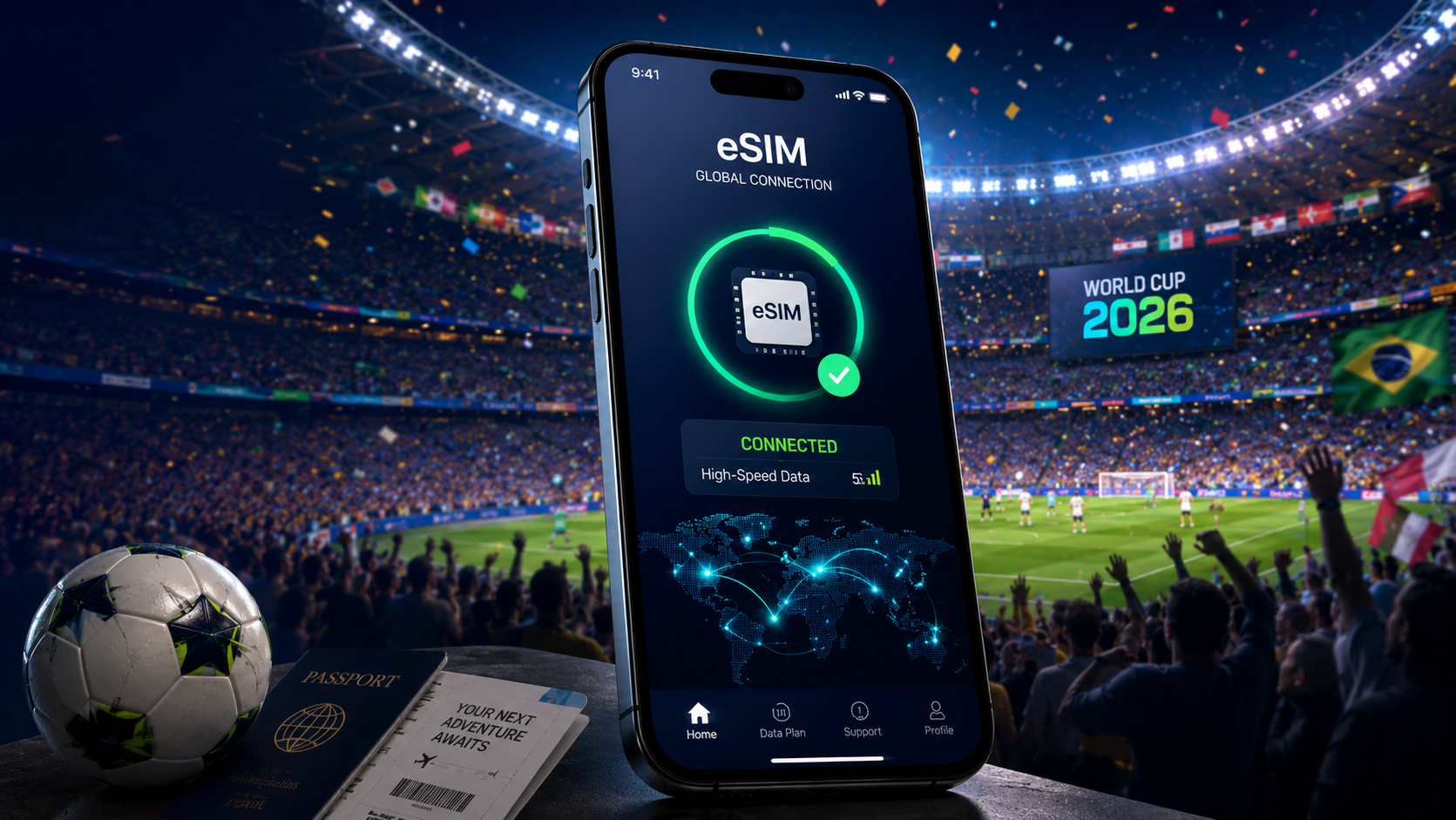
World Cup eSIM: A digital SIM installed on your phone before you leave home, covering the USA, Canada, and Mexico on a single plan. No physical card, no swapping, no roaming surcharges when you cross the border from Houston to Toronto.
Each option has its advantages depending on your itinerary and travel style. To choose the right one, it helps to understand what makes connectivity at the 2026 World Cup different from a typical international trip.
Why Is the 2026 World Cup Different for Your Phone
On the surface, getting internet access in the USA, Canada, or Mexico is straightforward. The challenge comes from combining all three into a single World Cup journey. Between border crossings, digital ticketing, packed stadiums, and weeks of travel across multiple cities, your connectivity needs look very different from those of a typical vacation. Here are the key factors worth understanding before you choose a mobile plan.
1. The 3-Country Problem
No World Cup has ever asked fans to do what 2026 asks: Follow a team across three different countries, each with its own mobile network infrastructure, its own carrier pricing, and its own roaming rules — all within a single tournament trip.
The mathematics of roaming at this tournament are worth spelling out. Most home carriers charge between $10 and $15 per day for international data. That sounds manageable for a weekend trip. For the 2026 World Cup, the full tournament runs 39 days. A fan attending matches from group stage to final — staying in 3 countries the whole time — could face a roaming bill anywhere between $390 and $585 before hotel, flights, or a single match-day beer.
Even a modest group-stage trip reveals the complexity. Consider a Brazilian supporter whose team opens in Mexico City on June 11, advances to face a European side in Houston for the second group match, then travels to Toronto for the Round of 32. That is two international border crossings in under ten days, three different carrier networks, and three separate occasions where roaming charges can spike without warning. The phone that worked fine in Mexico City will not automatically behave the same way in Houston or Toronto — not unless you have a plan built for exactly this kind of trip.
2. Network Coverage in Host Cities — Country by Country
Not all three host countries work the same way for international visitors, and the differences matter. Here is what you need to know about each carrier landscape before you travel.
Carrier | Country | Key host cities | Network | Best use case |
Verizon (Official FIFA Sponsor) | USA | All 11 US host cities | 4G/5G | In-stadium connectivity; upgraded 3–5x for this tournament |
AT&T | USA | All 11 US host cities | 4G/5G | Balanced city and highway coverage; strong backup option |
T-Mobile | USA | All 11 US host cities | 4G/5G | Best urban 5G speeds; strongest in dense city areas |
Rogers | Canada | Toronto, Vancouver | 4G/5G | Strong in eastern Canada and Toronto; good for most fans |
Bell / Telus | Canada | Toronto, Vancouver | 4G/5G | Strong western coverage; shared infrastructure with Rogers |
Telcel | Mexico | Mexico City, Guadalajara, Monterrey | 4G/5G | Dominant nationwide; essential for all three Mexican host cities |
AT&T Mexico | Mexico | Mexico City, Guadalajara, Monterrey | 4G/5G | Strong in urban areas; weaker outside major cities |
The key takeaway is simple, network quality is unlikely to be a problem in any of the host countries, but pricing and carrier partnerships can be. Verizon is expected to offer some of the strongest stadium connectivity in the USA, Canada is where roaming costs can become expensive surprisingly quickly, and Telcel remains the most reliable choice across Mexico. If you're using an eSIM, it's worth checking which local networks are included before you travel.
Coverage Tips: In large stadiums, signal strength is often less important than network capacity. A carrier with slightly weaker coverage but better congestion management can outperform a carrier showing full signal bars during peak match-day traffic.
3. What to Expect from Stadium WiFi on Match Day
This one comes up a lot, so let us address it directly: yes, stadiums have WiFi. No, you should not rely on it to display your ticket at the gate.
Even with Verizon's significant 5G upgrades across US host venues, the moment 80,000 fans simultaneously open their apps, upload their Reels, and send WhatsApp voice notes to friends back home, network congestion is inevitable. That congestion is worst at the peak moments of your match day — arrival, half-time, full-time. Exactly when you need your phone most.
The more important point is structural: FIFA's 2026 ticketing is 100% digital. There is no paper fallback, no printout option, and stadium gate staff cannot override the system on your behalf. The ticket on your phone must load from your own connection. Not the stadium's WiFi. Not your companion's hotspot. Your own, stable data link, ideally one that has been working since before you left your hotel.
Fan zones outside stadiums face similar congestion. Public WiFi at fan festivals exists, but it is shared across thousands of people in an open-air environment. Treat it as a bonus, not a backup.
Match-Day Tip: Before leaving for the stadium, open your FIFA+ ticket and make sure it loads properly. Saving a screenshot of your ticket QR code and downloading any available offline ticket version can provide an extra layer of reassurance during busy entry periods.
So, Which Are The Best Ways to Get Internet at the World Cup
With the context of three countries and one very high-stakes digital ticket, here is how all four connectivity options actually stack up for a World Cup trip. The right choice depends almost entirely on how many countries you are visiting and how long you will be there.
Option | Setup | Price range | Works in all 3 countries | Hotspot | Keep home number | Best for |
International roaming | Nothing to do | $10–15/day per country | Yes, but billed separately | Usually yes | Yes | Short trips to one country only |
Local SIM (per country) | Store visit per country | $5–25 per plan | No — one SIM per country | Usually yes | No (swap required) | Long stay in one country only |
Pocket WiFi | Rent/order in advance | $5–15/day | Only if North America plan | Yes — shareable | Yes (use alongside) | Groups traveling together |
FIFA World Cup eSIM | Install at home, no queue | $15–60 for full trip | Yes — one plan, all 3 | Yes | Yes (dual SIM) | Multi-country World Cup travel |
Teclapi eSIM for World Cup 2026 — One Plan for All Three Countries
Think about the moment you actually need your data to work. Not when you are scrolling Instagram in a hotel lobby. When you are walking toward the stadium, ticket app open, gate three minutes away, and the WiFi in the surrounding area is congested with tens of thousands of other fans doing exactly the same thing. That is the moment that matters.
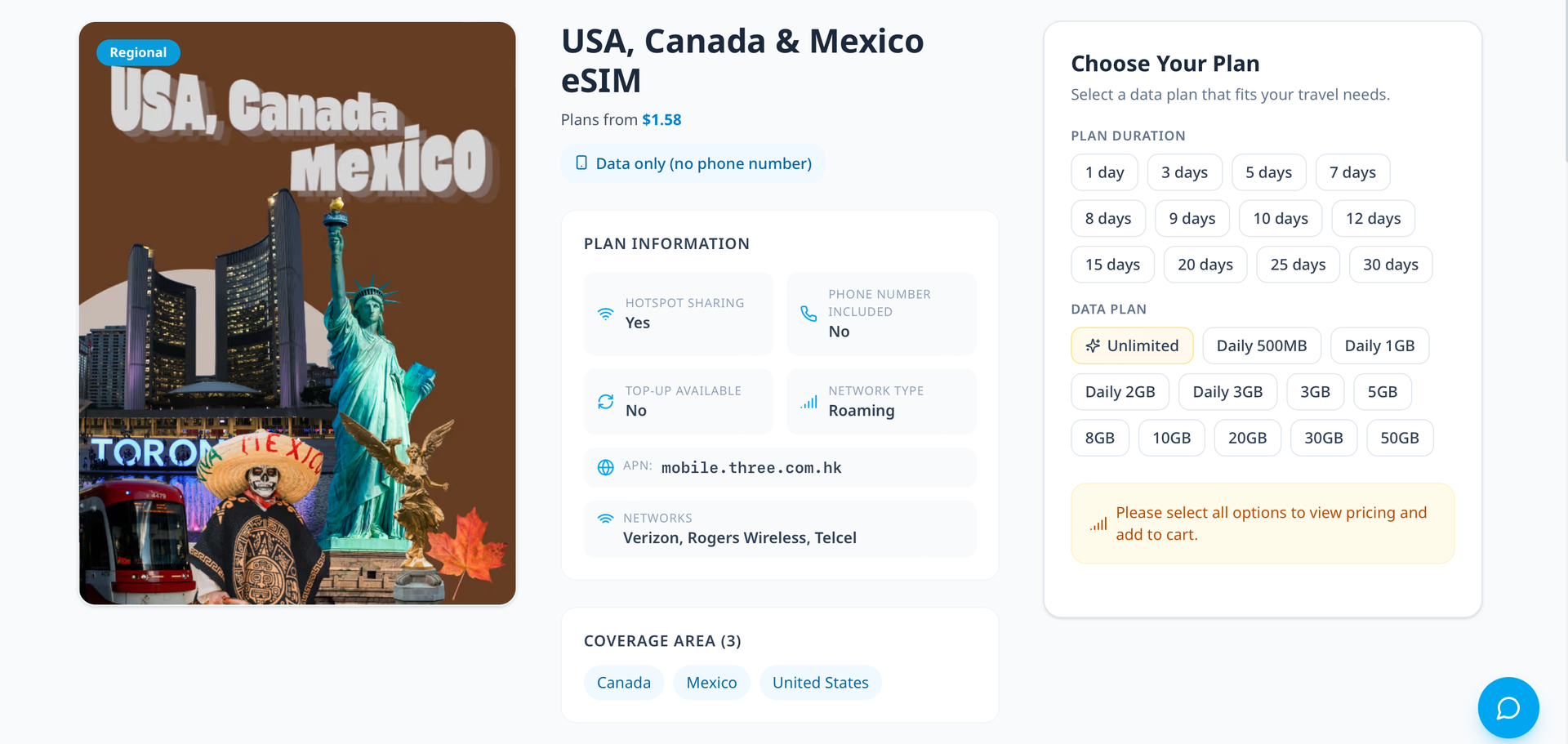
Teclapi's World Cup eSIM plan covers the USA, Canada, and Mexico on a single eSIM profile. You install it before you fly — at home, on your own WiFi, with no queues and no time pressure. The moment you land in Mexico City or touch down at JFK or clear customs in Toronto, your phone connects automatically. There is no SIM swap at the border, no daily roaming surcharge, and no gap in coverage between countries.
The plan is designed for exactly the kind of trip this tournament creates: Multiple countries, tight schedules, and a phone that needs to work reliably every time you walk up to a gate.
How Much Data Do You Need for Your World Cup Trip?
The default instinct is to buy as much data as possible and not think about it. That works, but it is also how fans end up paying for 30GB they never use. The smarter approach is to size your plan to your actual trip — which at the World Cup looks quite different from a typical holiday.
Fan type | Trip length | Daily usage (est.) | Total estimate |
Day-tripper (1–2 matches, single city) | 2–4 days | 1.5–2 GB/day | 4–8 GB total |
Group-stage fan (3 matches, 1–2 countries) | 10–14 days | 2–3 GB/day | 20–40 GB total |
Knockout-rounds follower (round of 32 to semi-final) | 18–24 days | 2.5–3.5 GB/day | 45–85 GB total |
Full-tournament traveler (group stage to final) | 39 days | 3–4 GB/day | 110–155 GB total |
Those numbers are higher than a standard holiday because a World Cup trip uses your phone in ways that a beach break does not. The biggest data drains are worth knowing about in advance.
What uses a lot of data at the World Cup:
Displaying and refreshing digital tickets at stadium gates (modest per use, but essential to work reliably)
Uploading short videos and Reels from inside the stadium — a 30-second clip can be 80–150 MB
WhatsApp voice and video calls with friends and family following from home
Navigation between venues, fan zones, and transport in unfamiliar cities (maps cache poorly on mobile data)
Hotspot sharing — if you are the designated data provider for a group of four, multiply your estimate accordingly
Checking live scores for other group-stage matches while yours is in play
What barely uses data:
Text messages and WhatsApp text chat
Checking scores and news via apps (not streaming video)
Email and basic browsing
Contactless payments via Apple Pay or Google Pay
As a rough rule: A group-stage fan visiting two countries over two weeks should plan for at least 20–25 GB. A fan following a deep run through the knockout rounds across all three countries should budget 50 GB minimum, with an unlimited plan being the genuinely stress-free option.
Fan Guide: Tips for Staying Connected at the 2026 World Cup
These tips are timed to how a fan actually moves through this tournament — not generic travel advice, but the specific moments where connectivity decisions matter most.
Activate your eSIM at home before you fly. Do not leave this for the arrivals hall. Airport WiFi is unreliable after long-haul flights, the setup process requires a QR scan on a second device, and you do not want to troubleshoot a connectivity problem on a day when you have a connection to make. Install your eSIM at home, on your own WiFi, at least 24 hours before departure. Confirm it is working before you close the app.
Download your FIFA+ match tickets offline before leaving your hotel on match day. Open the FIFA+ app, navigate to your ticket, and save it for offline access. Do this in your hotel room, not at the stadium. The network around any host venue on match day is congested — arriving with your ticket already loaded removes that risk entirely.
Confirm your data plan covers all three host countries before you cross any border. If your eSIM covers the USA and Canada but not Mexico, you will not know until you land in Mexico City and see 'No Service'. Check your plan details — specifically which countries are included — before your first international flight.
Download offline maps for every host city you are visiting. A downloaded city map takes 100–200 MB of storage but means your navigation keeps working even when the network around the stadium is overwhelmed. Download them at your hotel on WiFi, before you travel to each city.
Use your eSIM as a hotspot for your travel group. If you are traveling with friends, one person's World Cup eSIM plan with hotspot enabled can cover the whole group's essential data needs — ticket display, maps, messaging — for the moments when it counts. This is significantly cheaper than everyone buying separate plans.
Charge your phone fully on match days. A full day of digital ticketing, maps, social uploads, live score checking, and WhatsApp will drain most phones to zero before full-time. Bring a portable battery as insurance. The last thing you want is a dead phone at the gate.
A little preparation goes a long way at a tournament of this scale. Get your connectivity sorted before departure, and you'll spend less time troubleshooting on the road and more time enjoying the World Cup experience.
Conclusion
Between digital ticketing, cross-border travel, and weeks of match-day logistics, staying connected is no longer just a convenience at the World Cup - iit's part of the experience. Choosing the right setup before departure means one less thing to worry about as you move between host cities and follow your team through the tournament.