
How Good Is the Internet in Japan?
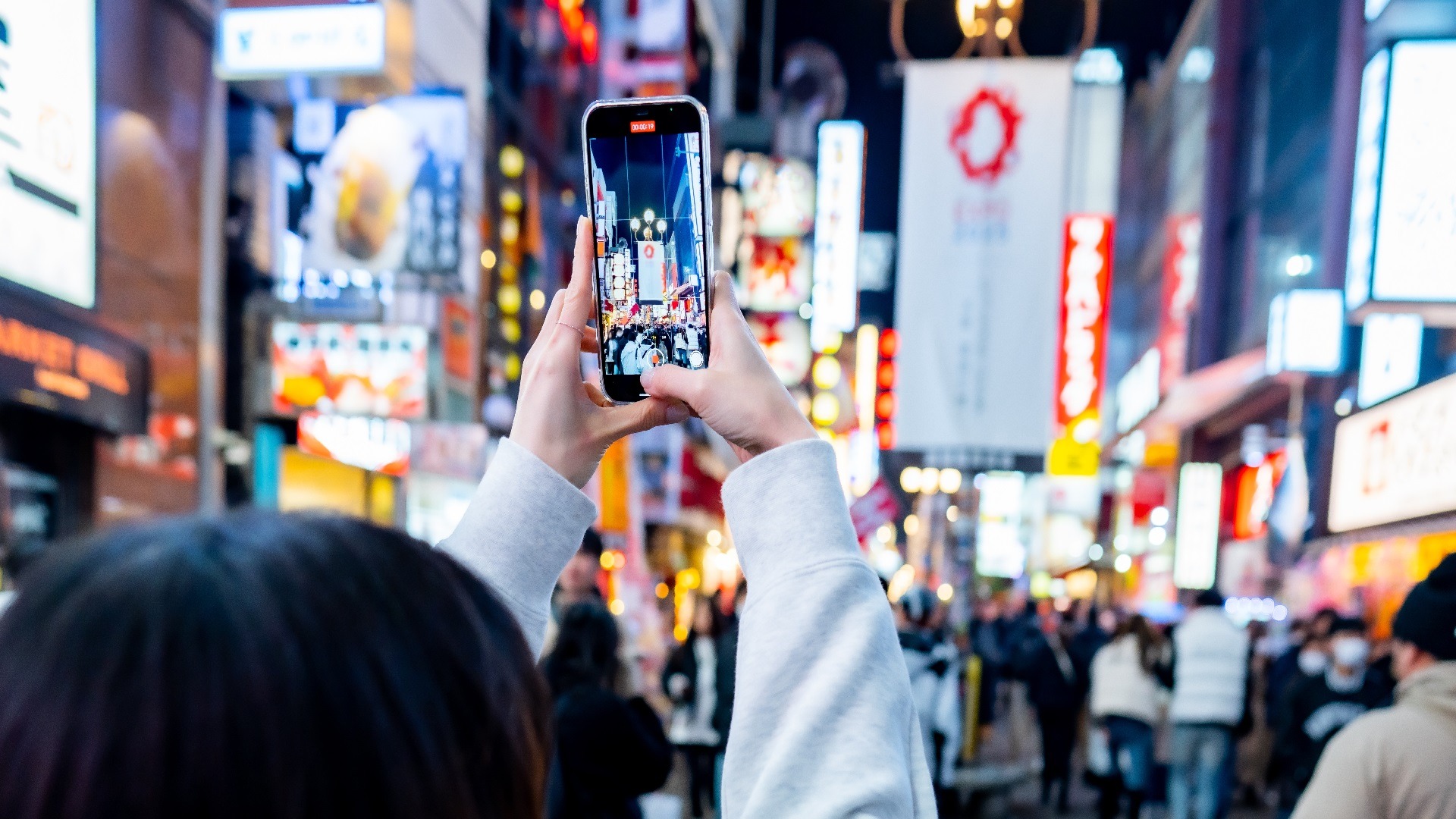
Japan has strong mobile infrastructure, especially in major cities such as Tokyo, Osaka, Kyoto, Fukuoka, Sapporo, Nagoya, and Yokohama. According to Speedtest Global Index data for March 2026, Japan recorded a median mobile download speed of about 70.28 Mbps, while fixed broadband was much faster at about 255.27 Mbps. For travelers, that means mobile data is usually more than enough for Google Maps, translation apps, messaging, mobile payments, restaurant searches, Grab-style taxi apps where available, and video calls.
The main thing to remember is that Japan’s internet experience changes by location. In cities, airports, train stations, shopping districts, and major tourist areas, 4G LTE is very reliable and 5G is increasingly common. In rural mountain areas, remote islands, national parks, ski resorts, long tunnels, and some countryside train routes, signal can still drop or slow down. That is not a Japan problem exactly; it is a mountains-plus-tunnels-plus-volcanoes problem, which sounds very dramatic but is simply geography doing its job.
1. Which Local Carriers Are the Fastest?
Japan's major mobile networks are NTT Docomo, KDDI/au, SoftBank, and Rakuten Mobile. For tourists, the most useful comparison is not just raw speed but how consistently a network performs in real travel situations: train stations, underground malls, crowded festival areas, and the inevitable "which exit is this?" moment outside a busy station.
Here is how the main carriers compare for typical tourist use:
| Carrier | Network type | Avg. download speed | Coverage strength | Best use case |
| NTT Docomo | 4G LTE + 5G | ~55 Mbps | Broadest national coverage including regional areas | Travelers visiting multiple regions, countryside, ski towns, or longer cross-country routes |
| KDDI / au | 4G LTE + 5G | ~61 Mbps | Very strong in cities and transport hubs | Urban travelers wanting reliable performance across Tokyo, Osaka, Kyoto, and major transit routes |
| SoftBank | 4G LTE + 5G | ~50 Mbps | Good in cities and tourist corridors | City-focused travelers, especially those using SoftBank partner Wi-Fi hotspots as a backup |
| Rakuten Mobile | 4G LTE + 5G | ~40 Mbps | Improving in urban areas; more variable outside dense zones | Budget-conscious travelers staying mainly in large cities who do not need rural coverage |
For most tourist trips, the practical difference between the top three carriers is small — any of them will handle maps, messaging, and translation without drama. The bigger consideration is which network your eSIM or SIM card runs on, especially if your trip takes you beyond the main city triangle.
2. Free Wi-Fi in Japan: What to Expect
Free Wi-Fi in Japan exists in more places than you might expect and works less reliably than you would hope. That is not a criticism — it is just the honest shape of public Wi-Fi anywhere in the world. You will find it in airports, hotels, major train stations, cafes, convenience stores (Seven-Eleven, Lawson, FamilyMart), and many tourist facilities. Some metro systems, including parts of the Tokyo Metro, offer free Wi-Fi in stations and on platforms.
The catch is that public networks often require registration: an email address, a social login, a browser confirmation, or occasionally a Japanese phone number. Speed can also vary significantly in crowded areas. Free Wi-Fi is genuinely useful for saving data at the hotel or downloading something quickly at a Starbucks, but building your entire connectivity plan around it is an optimistic strategy that Japan may politely test. A VPN is worth using on any public network for tasks involving passwords or financial information.
Best Ways to Get Internet in Japan for Tourists
Japan is generous with options. The challenge is not finding a way to get online — it is choosing the one that suits how you actually travel, not just how you imagine you will travel. A solo traveler doing five days in Tokyo has different needs from a family taking the Shinkansen between three cities, and a digital nomad working remotely should not be running on the same plan as someone who just needs maps and ramen recommendations.
Here is the practical side-by-side comparison before you decide:
| Option | Setup | Price | Data speed | Convenience | Hotspot / tethering | Keep home number | Best for |
| Travel eSIM | Buy online, receive QR code by email, install before or after landing | Usually competitive; varies by data and duration | Fast if on a strong local network | ★★★★★ | Usually yes — check plan terms | Yes | Most tourists, solo travelers, couples, business travelers, and anyone who wants data ready before landing |
| Physical prepaid SIM | Buy at airport, electronics store, or order before arrival | Mid-range; airport kiosks may charge a small premium | Good, depending on carrier and plan | ★★★☆☆ | Usually yes — check plan terms | No (unless dual SIM) | Travelers with non-eSIM phones or those who prefer a physical card in hand |
| Pocket Wi-Fi | Rent online or at airport; carry router; return at end of trip | Cost-effective for groups; may include a deposit | Good when battery and signal are strong | ★★★☆☆ | Yes — designed for sharing | Yes | Families, groups, laptop users, or travelers with multiple devices |
| International roaming | Turn on roaming with home carrier | Often high unless you have a strong roaming package | Depends on your carrier's Japan partner | ★★☆☆☆ | Sometimes restricted | Yes | Short business trips, emergencies, or travelers with genuinely generous roaming plans |
For most tourists, a Japan eSIM is the clearest match: Buy it online before departure, install the QR code on your phone, and land with data already active — no kiosk, no queue, no SIM swap. Your home number stays in the phone, so WhatsApp, iMessage, and banking codes keep working as normal. If your phone does not support eSIM, a prepaid SIM card is the natural alternative; they are widely available at airports and at electronics stores like Yodobashi Camera and BIC Camera. Pocket Wi-Fi suits families or groups sharing data across several devices, though it adds a router to carry and a return errand at the end of the trip. Roaming is worth a quick check too — some carriers in Europe, Southeast Asia, and North America include Japan in affordable international add-ons, and the Japan roaming landscape has changed enough in recent years that your home plan might surprise you. If it does not, the per-MB charges can add up fast enough to ruin your mood before you reach Shibuya.
Important eSIM note: Before buying any Japan eSIM, check that your phone supports eSIM and is carrier-unlocked. On iPhone, you can usually check under Settings > Cellular/Mobile Data > Add eSIM. On Android, the wording varies by brand, but look for SIM manager, eSIM, or Add mobile plan. If your phone is locked to a carrier, an eSIM may not activate properly.
Teclapi eSIM Japan: Is It Worth It for Your Trip?
Buying a SIM card at a Japanese airport is entirely possible, and the major airports handle it reasonably well — but the experience after a long-haul flight deserves some honest description. You need to find the right counter or kiosk, present your passport for registration in many cases, choose a plan from a laminated sheet, and wait in a queue if the flight has just disgorged two hundred other travelers with the same idea. Staff at major airports often speak English, but it is not guaranteed at every counter.
An eSIM sidesteps all of this: Buy it from home, receive a QR code by email, and land with data already ready.
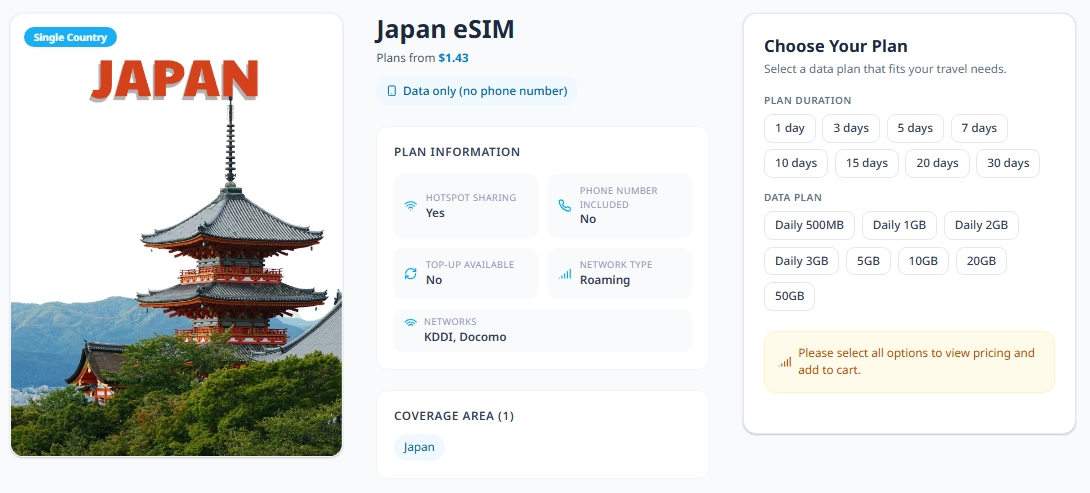
Teclapi's Japan eSIM is built for exactly this kind of trip. Here is what you get:
- Runs on KDDI and Docomo networks - a strong combination for both urban coverage and regional travel
- Plans from around $4 - suitable for a weekend city break or a longer multi-region itinerary
- QR code sent by email after purchase - install it before your flight, activate it when you land
- No SIM swap needed - your home number stays active for calls, messages, and banking OTPs
- Support via WhatsApp, Zalo, Facebook, and email - in case anything needs sorting before or during the trip
If your phone supports eSIM and is carrier-unlocked, Teclapi's Japan plans are a practical way to cross one thing off the pre-trip list and arrive knowing your phone is already sorted.

How Much Data Do You Need for Your Japan Trip?
The two most common data mistakes travelers make are buying a plan so small they spend the last two days rationing Maps searches, or buying so much data that they come home with gigabytes untouched and a quiet sense of financial regret. The right amount depends less on how many days you stay and more on what you actually do with your phone during the day.
Here is a practical starting point based on traveler type:
| If you're | Typical daily usage | 7-day trip estimate | Notes |
| Light user | 500MB – 1GB/day | 3.5GB – 7GB | Maps, messaging, occasional browsing. Mostly offline maps. |
| Average traveler | 1GB – 2GB/day | 7GB – 14GB | Maps, social media, photo uploads, translation apps, restaurant searches. |
| Heavy user | 3GB – 5GB/day | 21GB – 35GB | Video streaming, video calls, hotspot for a laptop, lots of content sharing. |
| Digital nomad | 5GB – 10GB+/day | 35GB – 70GB+ | Remote work, cloud tools, video conferencing, large file transfers. |
Japan is a visually generous country, which is a polite way of saying your phone will be out constantly. Data drains fastest when you use live navigation all day, stream video, upload high-resolution photos and reels, make video calls, or use your phone as a hotspot for a laptop. The Shinkansen between cities is a surprisingly good time to catch up on YouTube, which is also a surprisingly good way to run through a data plan.
Our Recommendation: Download offline maps for Tokyo, Osaka, Kyoto, and whichever regions you'll be moving through. Google Maps offline works well, and apps like Maps.me are also useful. A good offline map does not replace mobile data, but it makes it go much further.
7 Tips for Staying Connected in Japan

A good internet setup in Japan is not only about buying a data plan. It is also about using it smartly, especially in a country where train routes, station exits, QR tickets, restaurant bookings, and translation apps often become part of the daily travel routine.
- Install your eSIM before departure, but activate data when you arrive. This helps you avoid airport stress while preventing the plan from starting too early if the validity begins on activation.
- Keep your home SIM active for OTPs and messaging apps. Many travelers need their original number for banking codes, WhatsApp, iMessage, or airline updates.
- Download offline Google Maps for Tokyo, Osaka, Kyoto, or your main travel region. This is useful for underground stations, mountain areas, or long train rides where signal may briefly fade.
- Save hotel names and addresses in Japanese. Taxi drivers, station staff, and local maps may recognize Japanese text faster than English transliterations.
- Turn off cloud photo backups on mobile data. Japan is photogenic, and your phone will know it. Let the hotel Wi-Fi handle large uploads.
- Carry a power bank. Navigation, translation, camera use, and train apps can drain battery faster than expected, especially during full-day sightseeing.
- Plan extra carefully for rural trips. If you are visiting Hokkaido, the Japanese Alps, ski resorts, remote islands, or countryside onsens, download maps and transport details before leaving the city.
For seasonal travel, be extra prepared during cherry blossom season, Golden Week, summer festival periods, autumn foliage weekends, and New Year holidays. Crowded stations and event areas can slow public Wi-Fi and make mobile data more important. A little preparation keeps your trip feeling like Japan, not like a phone settings tutorial.
Conclusion: So, How Should You Stay Connected in Japan?
Japan is a fantastic country to explore with mobile data: trains are easier, food hunting is better, translation is smoother, and getting lost becomes charming instead of stressful. Free Wi-Fi can help, pocket Wi-Fi works well for groups, and physical SIM cards are still available, but for most modern travelers, a Japan eSIM is the easiest way to arrive prepared.
If your phone supports eSIM, set up your Japan data plan before departure, keep your home number active, and start the trip with maps, train routes, and translation ready in your pocket. For a practical option, explore Teclapi’s Japan eSIM plans and land with one less thing to figure out.